Rental Property Income and Expense Spreadsheet
A year of rental income and expenses, each expense sorted into the IRS Schedule E categories, with monthly and yearly totals.
- Excel
- Works in Google Sheets
Included in The Landlord Kit ($29), with 7 other files.
Instant download. One payment. 14-day refunds.
What this is for
Every April, a certain kind of landlord sits at the kitchen table with a shoebox, a year of card statements and a growing suspicion that the water heater was bought in a different tax year. This spreadsheet exists so that doesn’t happen. You log each dollar in and out as it happens, in the category it will end up in on the tax form, and at year end the totals are already sitting there.
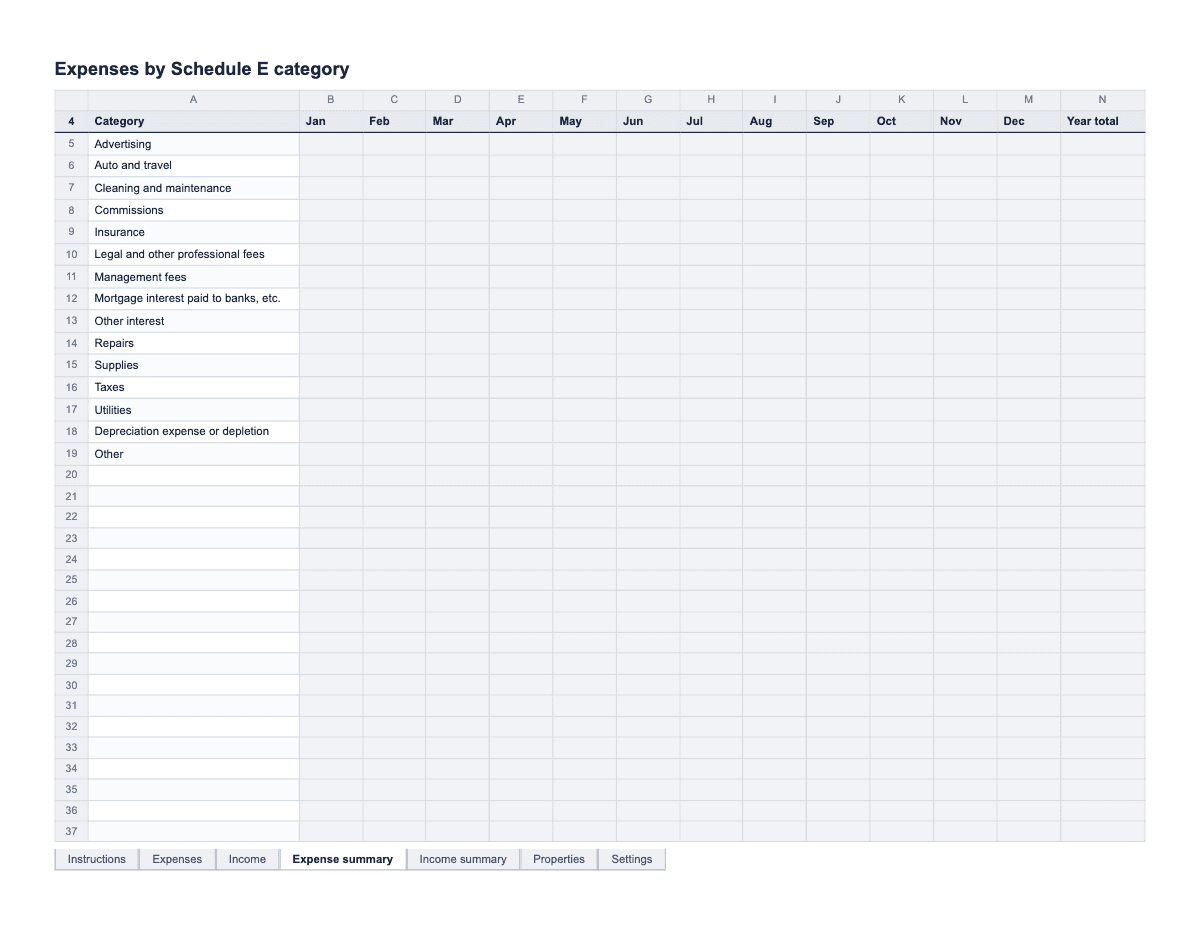
Rental income and expenses are reported on IRS Schedule E, and the tracker is built around its expense lines: advertising, auto and travel, cleaning and maintenance, commissions, insurance, legal and other professional fees, management fees, mortgage interest, other interest, repairs, supplies, taxes, utilities, depreciation, and other. Those categories are the dropdown on the Expenses tab. The Income tab has its own list: rent, late fees, kept security deposit, pet rent or fees, parking or laundry, and other income. Two summary tabs total each category by month and for the year, and the Expense summary ends with a net figure, income minus expenses.
It is a record-keeping sheet, not tax advice. It will not work out depreciation, and it cannot tell you whether a new roof is a repair or an improvement. What it does is keep every number labeled, dated and tied to a receipt, so the conversation with your tax preparer is short and specific. The Receipt kept column flags any expense with no receipt in amber, while you still have a chance of finding it.
How to fill it in
- Start on the Settings tab and type the tax year. Every total in the workbook counts only entries dated in that year, so one file per year works best.
- On the Properties tab, list each property or unit you want to track separately, with its address: "Maple St", "Oak Ave duplex". These names become the Property dropdown on both the Income and Expenses tabs.
- Delete the EXAMPLE rows on the Expenses and Income tabs.
- For every expense, add a row on Expenses: Date, Property, Schedule E category, Paid to, Amount, Paid by, Receipt kept (Y or N) and Notes. Write in Notes what the money was actually for, like "kitchen sink leak, Unit A", because the category alone won’t jog anyone’s memory in eleven months.
- Pick the category with care. Fixing a leak or patching drywall is usually a repair. Replacing the whole roof or adding a bathroom is usually an improvement, which the IRS says must be capitalized and depreciated rather than deducted. If you are not sure, enter it, choose the closest category, and write "repair or improvement?" in Notes to ask your preparer.
- For every payment received, add a row on Income: Date, Property, Category, Received from, Amount and Notes. If you already keep a rent ledger, you can enter rent here as one monthly total per property instead of each payment.
- When you keep part of a security deposit, record it on Income under "Kept security deposit" on the day you keep it. A deposit you plan to return stays off this sheet entirely.
- Once a month, filter the Expenses tab for Receipt kept = N. Each amber row is a receipt to find, request again from the vendor, or replace with a bank statement and a note.
- At year end, the Expense summary and Income summary tabs show each category by month with a Year total, and the net line at the bottom of the Expense summary. Print both, or send the file to your tax preparer.
A filled-in example
| Date | Property | Schedule E category | Paid to | Amount | Paid by | Receipt kept | Notes |
|---|---|---|---|---|---|---|---|
| 01/08/2026 | Maple St | Insurance | Landlord policy | $1,120.00 | Bank transfer | Y | Annual premium, both units. |
| 02/12/2026 | Maple St | Repairs | A-1 Plumbing | $185.00 | Card | Y | Kitchen sink leak, Unit A. |
| 03/03/2026 | Oak Ave | Supplies | Hardware store | $42.60 | Cash | N | Smoke alarm batteries, furnace filters. Receipt lost; ask store. |
| 03/21/2026 | Oak Ave | Other | R. Heating Co. | $4,800.00 | Check | Y | New furnace. Repair or improvement? Ask preparer. |
| 04/01/2026 | Maple St | Advertising | Listing site | $29.00 | Card | Y | Vacancy ad for Unit B. |
Common mistakes
- Mixing personal and rental spending on the same card, then sorting it out in March. Use a separate account for the property if you can, and log each expense on the tracker the week it happens.
- Filing a big replacement under Repairs because it felt like a repair. A new furnace, roof or kitchen is often an improvement, which is treated differently. Flag anything large in Notes and let a tax professional decide.
- Forgetting that a kept deposit is income. The IRS says a deposit you intend to return is not income when you receive it, but the part you keep is income in the year you keep it. Record it on the Income tab the day you decide.
- Ignoring the amber rows. A missing receipt is easy to replace in the first month and close to impossible in the second year. Deal with the flags every month.
- Typing an expense category by hand. The summary tabs match exact category names, so a hand-typed "Repair" instead of "Repairs" disappears from the totals. Always pick from the dropdown.
What the rules say
Rental income and expenses are reported on IRS Schedule E (Form 1040). Its expense lines are advertising, auto and travel, cleaning and maintenance, commissions, insurance, legal and professional fees, management fees, mortgage interest, other interest, repairs, supplies, taxes, utilities, depreciation, and other.
Source: IRS Schedule E (Form 1040), Part I lines 5–19Being reviewed
Repair and maintenance costs for a rental can generally be deducted; improvements must be capitalized and depreciated (IRS Publication 527).
Source: IRS Publication 527, Repairs and ImprovementsBeing reviewed
A security deposit you plan to return is not income when you receive it. Any part you keep because the tenant broke the lease is income in the year you keep it (IRS Publication 527).
Source: IRS Publication 527, Rental IncomeBeing reviewed
The IRS says to keep tax records for 3 years in most cases, longer in some situations, and to keep property records until the period ends for the year you sell the property.
Source: IRS, How long should I keep records?Being reviewed
Last reviewed September 29, 2026. We link to official sources; your local rules may differ, so check them.
Questions
- What expenses can I deduct on a rental property?
- Schedule E lists the usual categories, such as advertising, cleaning and maintenance, insurance, mortgage interest, repairs, supplies, taxes and utilities, and the tracker uses exactly those. Whether a particular cost is deductible, and in which year, depends on your situation. This sheet records the numbers; a tax professional decides how they are treated.
- What is the difference between a repair and an improvement?
- Broadly, a repair keeps the property in ordinary working condition, and an improvement makes it better, restores it or adapts it to a new use. The IRS says repairs can generally be deducted, while improvements must be capitalized and depreciated. The line between the two is not always obvious, so note the borderline ones and ask.
- Does the tracker calculate depreciation?
- No. Depreciation depends on the property’s basis, when it was placed in service and other details that belong with a tax professional or tax software. There is a Depreciation category on the Expenses tab so you can enter the figure once you have it, and the net line will include it.
- Is a security deposit rental income?
- Not when you receive it, if you plan to return it. Any part you keep is income in the year you keep it, according to IRS Publication 527. A deposit that will be used as the final month’s rent is treated as advance rent, so record it as income when you receive it.
- How long should I keep rental receipts?
- The IRS says to keep tax records for 3 years in most cases, and longer in some situations, and property records until the period ends for the year you sell the property. Improvement receipts matter for years, so keep those with the property file, not just the yearly folder.
- Can I track more than one property?
- Yes. The Properties tab takes up to ten, and every row on Income and Expenses has a Property column, so you can filter by property. The summary tabs total all properties together; filter the Expenses tab if you need one property’s totals for its own Schedule E column.