Probe Thermometer Calibration Record
Iced-water and boiling-water readings for each probe, a pass column for the FSA ranges, and what you did about a fail.
- PDF · A4
Included in The Kitchen Log Kit (UK) (£19), with 8 other files.
Instant download. One payment. 14-day refunds.
What this is for
Nearly every other record in a kitchen depends on one small digital probe. The cooked chicken that reached its core temperature, the soup held hot at the pass, the fridge that read 4°C this morning: each of those numbers is only as good as the instrument that produced it. A probe that has been dropped on the tiles, left in a hot pan or run on a dying battery can read a couple of degrees out and give no sign of it. Checking it against water at two known temperatures is how you find out, and writing the result down is how you show an environmental health officer that you did.
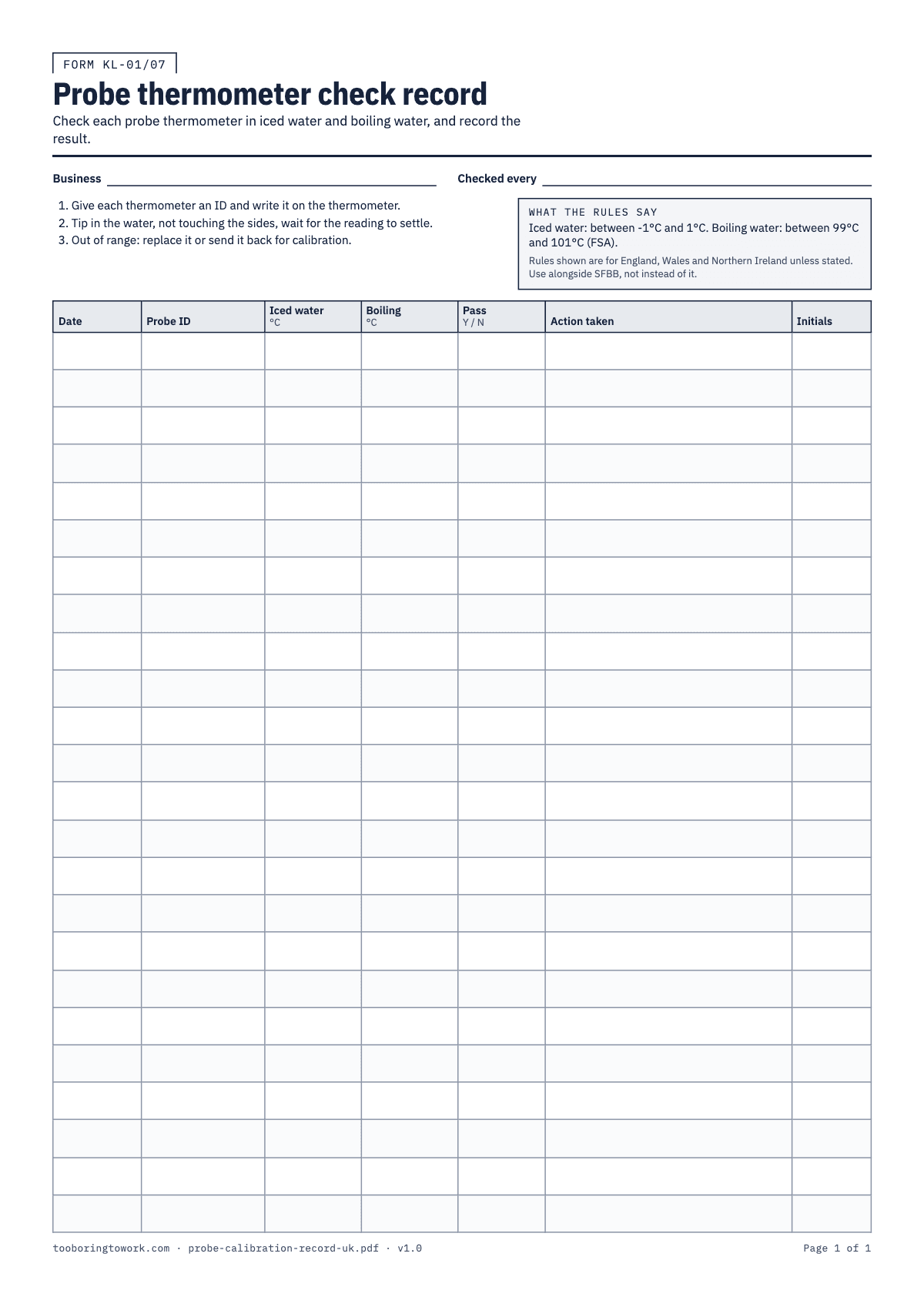
The FSA guidance gives two simple tests. In iced water a working probe should read between −1°C and 1°C, and in boiling water between 99°C and 101°C. If it falls outside either range, you replace it or send it back to the maker for calibration. This A4 sheet has 24 rows, one per probe per check, with columns for Date, Probe ID, Iced water, Boiling, Pass (Y / N), Action taken and Initials. Boxes at the top take the business name and how often you have decided to check.
It is a supporting record. The probe checks feed straight into the temperature records you already keep, and the whole set works alongside Safer Food, Better Business and your own HACCP-based procedures rather than replacing either of them. The sheet is PDF only. A spreadsheet adds nothing to a record you fill in once a month with a cup of ice.
How to fill it in
- Give every probe in the building an ID and write it on the handle or the casing with a marker or a label: P1, P2, "bar probe", "van probe". Include the spare in the drawer. Write the business name and your check interval ("monthly", "every Monday") in the boxes at the top.
- For the iced-water test, fill a jug or a deep container with ice, top it up with cold water and stir. Leave it for a couple of minutes so the water chills right through. Put the probe tip well into the water, away from the sides and bottom, and wait until the reading stops moving. Write the number in the Iced water column, with its minus sign if it has one.
- For the boiling test, use water at a full rolling boil in a pan on the hob, not a kettle poured into a jug, which starts cooling the moment it leaves the kettle. Hold the tip in the water without touching the pan, let the reading settle and write it in the Boiling column. Use a heat-proof glove and keep your hand out of the steam.
- Compare both numbers with the ranges printed in the rules box: −1°C to 1°C in iced water and 99°C to 101°C in boiling water. Write Y in Pass only if both readings are inside their range. One reading out of range is a fail.
- If a probe fails, try again once with a fresh battery and freshly made iced water, because a flat battery and an ice bath that has half melted are the two usual false alarms. If it still fails, take it out of use straight away. Write what you did in Action taken: "replaced", "sent to supplier for calibration" or "binned, new probe P4 issued".
- Think about what the failed probe was used for since its last pass. If it read low in boiling water, the cooking and hot holding checks taken with it may have been worse than they looked. Note in Action taken whether you rechecked anything, and cross-reference the dates on the cooking, cooling and reheating record or the hot holding record.
- Initial every row. When the page is full, file it with your other temperature records in date order.
A filled-in example
| Date | Probe ID | Iced water (°C) | Boiling (°C) | Pass (Y / N) | Action taken | Initials |
|---|---|---|---|---|---|---|
| 03/11 | P1 | 0.2 | 100.1 | Y | RD | |
| 03/11 | P2 | 2.4 | 101.8 | N | New battery, retested: 2.1 / 101.6. Withdrawn. Replaced with P4. Rechecked 02/11 hot holding with P1: fine. | RD |
| 03/11 | P3 (bar) | -0.3 | 99.6 | Y | RD | |
| 03/11 | P4 (new) | 0.0 | 100.2 | Y | New probe, first check before use. | RD |
| 01/12 | P1 | 0.4 | 100.3 | Y | SK |
Common mistakes
- Testing in water with a few cubes floating in it. Iced water only sits near 0°C when there is plenty of ice packed in and it has been stirred. Too little ice gives a warm reading and a false fail.
- Using the boiling test with water from the kettle. By the time it is in a cup and the probe is in, it has dropped a degree or two, and a good probe gets marked down.
- Checking one probe and assuming the others are the same. Each instrument drifts on its own. The one that lives in the chef's top pocket and gets dropped is the one most likely to be out.
- Writing "OK" instead of the readings. A bare tick tells an inspector nothing about how close to the edge a probe was, and it hides a slow drift that three months of actual numbers would show.
- Keeping a failed probe in the drawer "for emergencies". Once it has failed, it gets replaced or sent away. If it stays in the kitchen, someone will use it on a busy Saturday.
What the rules say
The FSA says a digital probe should read between -1°C and 1°C in iced water and between 99°C and 101°C in boiling water. Outside those ranges, replace it or send it back for calibration.
Source: FSA, Safer Food Better Business: Prove itBeing reviewed
Safer Food, Better Business (SFBB) is the FSA's free pack of food safety procedures for small businesses in England and Wales, with a diary for daily records that food safety officers can inspect.
Source: FSA, Safer food, better business (SFBB)Being reviewed
Last reviewed 29 September 2026. We link to official sources; your local rules may differ, so check them.
Questions
- How do you check a probe thermometer is accurate?
- Test it in iced water and in boiling water. According to the FSA, a digital probe should read between −1°C and 1°C in iced water and between 99°C and 101°C in boiling water. Let the reading settle each time and write down the actual number, not just a pass.
- How often should a probe thermometer be checked?
- Follow the manufacturer's instructions for that model. Many kitchens check monthly, and again after a probe has been dropped or has given a reading that looked odd. Write the interval you have chosen in the "Checked every" box so everyone knows what is expected.
- What should I do if my probe fails the iced water test?
- Replace it or send it back for calibration, which is the FSA's advice for a probe outside the range. Before you do, rule out the easy causes: a low battery, or an iced water bath that did not have enough ice. If a clean retest still fails, stop using it and record what you did.
- Can I adjust a digital probe myself?
- Some models have a calibration function described in the manual; many cheaper ones do not. If yours can be adjusted, follow the maker's steps exactly and test it again in both iced and boiling water afterwards, recording both results. If it cannot, replacement or return is the answer.
- Does this record replace the probe checks in my SFBB pack?
- No. Safer Food, Better Business has its own method for checking probes and its own diary. This sheet is somewhere to write the readings for each probe in more detail, and it sits alongside SFBB rather than taking its place. Use whichever layout your team will actually fill in, and keep both together.